
Energy Storage Connector Installation: A Field Wiring Checklist
Blog | Yangiliklar xodimi | Okt 26,2026
A battery rack can be built with excellent cells and still fail at a connection that was installed in a hurry. Many connector problems in energy storage don’t come from the part itself; they come from how it was crimped, torqued, routed, and sealed on site. If your business installs or commissions battery systems, this checklist walks through each step, from cable preparation to the first thermal scan, so a loose joint gets caught before it becomes a hot spot.
Where Energy Storage Connections Go Wrong on Site
Most field failures trace back to a short list of causes: strands nicked during stripping, a crimp made with the wrong die, a bolt tightened by feel, polarity checked too late, or a joint left open to moisture. Each one adds resistance at the connection, and resistance turns current into heat. Commissioning guides for commercial battery systems point to torque relaxation as a common source of hot spots in the wiring around the racks, because thermal cycling gradually loosens hardware that was tight on day one.
The physics of that heat, and the limits your connector should stay within, are covered in our post on why temperature rise matters in connector design. This article stays on the installation side: what to do with your hands, your tools, and your test equipment so the connection performs the way its datasheet says it will.
The Field Installation Checklist at a Glance
| Qadam | What to Do | Common Mistake | What to Record |
|---|---|---|---|
| 1. Prepare the cable | Strip to the length the connector maker specifies and keep every strand intact | Nicked or splayed strands | Cable size and lot |
| 2. Crimp | Use the tool and die specified for that terminal and conductor size | Wrong die, insulation caught in the barrel | Tool ID and inspection result |
| 3. Mate and lock | Confirm polarity first, then seat the plug until the lock engages | Forcing a plug, no audible lock | Polarity check |
| 4. Torque and mark | Tighten to the manufacturer’s value with a calibrated wrench, then mark the bolt | Tightening by feel | Torque value and wrench ID |
| 5. Seal and protect | Cover crimped joints and seal cable entries where the design calls for it | Open gaps at cable entries | Photos of finished joints |
| 6. Route and relieve strain | Respect the cable’s minimum bend radius and support its weight | Cable weight hanging on the plug | Routing photos |
| 7. Test before energizing | Run insulation resistance tests and re-check torque marks | Skipping tests to save time | Test voltage and results |
| 8. Scan under load | Take an infrared scan of terminations at operating load | Scanning with no load applied | Thermal images |
Steps 1 to 3: Cable, Crimp, and Mate
Your connector manufacturer’s instructions come first for strip length, crimp tooling, and conductor size. Match the terminal to the conductor cross-section, strip cleanly, and check the result before you crimp. After crimping, look at the joint: the barrel should be evenly compressed, no conductor strands should be left outside it, and the cable insulation should not be trapped under the crimp. If your project procedure includes pull testing a sample of crimps, do it before the batch goes into a rack.
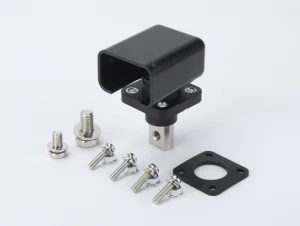
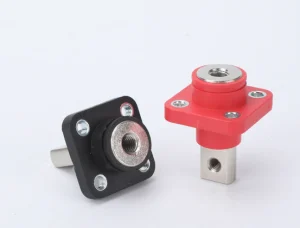
Verify polarity before you make the final connection, using proper test equipment and safe working procedures. Most high-current plugs help you here: positive and negative housings are color coded, typically orange and black, and keyed so they can’t be forced together the wrong way round. We describe those features in our guide to choosing energy storage connector types and contact materials. When you push the plug home, listen for the click that signals the lock has engaged. A plug that seats without a click isn’t finished.
Step 4: Torque to Specification and Mark It
Every bolted joint in a battery system has a specified torque, and both directions of error cost you. Over-tightening can damage terminals and hardware, while under-tightening leaves a loose connection that creates resistance, heat, and arcing risk. Use a calibrated torque wrench set to the value from the equipment manufacturer, then mark each tightened bolt with a torque stripe. The mark costs seconds and gives every later inspector a visual check: if the stripe has shifted, the joint has moved.
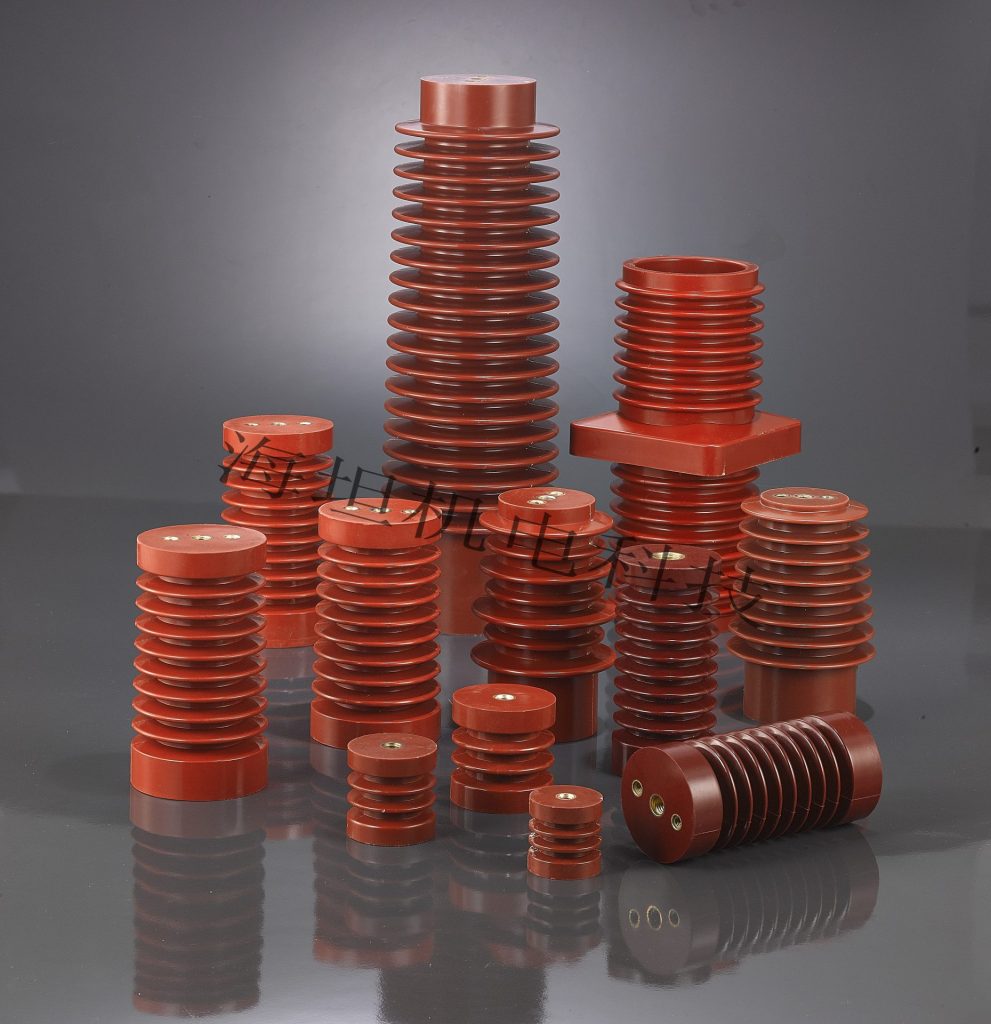
Busbar joints deserve the same care, and they depend on stable mounting. Power lines inside a battery cabinet are held in position by busbar supports that carry the electrical and mechanical stress, so a joint that is torqued correctly but mounted on a flexing support can still work loose. For the insulators that sit around those supports in storage cabinets, this overview of low voltage insulators in energy storage explains what to look for.
Steps 5 and 6: Seal, Route, and Relieve Strain
Moisture is the quiet enemy of a good crimp. Many installers cover crimped joints with flame-retardant heat shrink tubing, which shrinks tightly around the joint when heated and forms a waterproof, corrosion-resistant seal while adding insulation, mechanical protection, and strain relief. Our heat shrink range includes single and double wall tubing for connector sealing and connector-to-cable transitions. Check the connector maker’s instructions first, because heat shrink supplements the connector’s own seal rather than replacing it.
Need tubing to seal and insulate your crimped joints?
Where cables enter an enclosure, the seal moves to the cable entry. Our cable glands are rated IP68, cover cable diameters from 3 mm to 80 mm, work across -40°C to +120°C, and carry CE, UL, and RoHS certification. Confirm that the gland’s rating and cable range match the cable you are actually pulling.
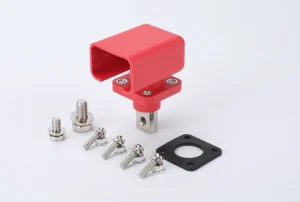
For routing, follow the cable manufacturer’s minimum bend radius and make sure the cable’s weight is carried by a clamp or duct, not by the plug. In tight racks, right-angle plugs turn the cable sideways as soon as it leaves the module faceplate, which keeps stiff cables from pushing against cabinet doors. Keep positive and negative runs apart where the design allows, so a damaged cable can’t bridge them.
Steps 7 and 8: Test Before Energizing, Then Scan Under Load
Commissioning is usually split into a cold stage and a hot stage. In the cold stage, nothing is energized: you re-check torque marks, confirm polarity, and run insulation resistance tests on the DC circuits. Use the test voltage your battery or system manufacturer specifies. One published commissioning guide for commercial systems, for example, applies 1,000 V DC or 2,500 V DC between the isolated DC positive, negative, and chassis ground, but your own system’s value is the one that counts.
In the hot stage, bring the system up under the manufacturer’s startup sequence, then take an infrared scan of terminations, busbars, and breaker lugs while they carry load. A hot spot almost always means a loose or high-resistance joint. One maintenance checklist treats any junction about 15°C above ambient as a loose-connection red flag, but your equipment maker’s limit takes priority. Save the thermal images, the torque values, and the insulation test results in the commissioning report. Those records are what you compare against at the next inspection.
Keeping Connections Healthy After Handover
Thermal cycling loosens hardware over time, so a good installation still needs a maintenance rhythm. Follow the equipment manufacturer’s plan, which also protects warranty coverage, and use the table below as a starting point.
| Task | Timing | What to Look For |
|---|---|---|
| Visual check of housings and seals | Each site visit | Cracks, discoloration, gaps at cable entries |
| Torque mark check | Each site visit | Stripes that have shifted out of line |
| Infrared scan under load | Per the manufacturer’s plan | Joints warmer than their neighbors |
| Re-torque to specification | Per the manufacturer’s schedule (some checklists use annually) | Torque relaxation after thermal cycling |
| Inspect glands and heat shrink | Per your site plan | Cracking, moisture ingress, corrosion |
FAQlar
What torque should I use on energy storage connector terminals?
There is no universal number. Use the value in the connector or battery manufacturer’s datasheet or installation manual, and apply it with a calibrated torque wrench.
Do I need to re-torque connections after commissioning?
Usually yes, on the manufacturer’s schedule. Thermal cycling loosens hardware over time, and some maintenance checklists call for re-torquing busbar and DC terminal connections annually.
How can I tell a crimp is good?
Use the tool and die the terminal maker specifies, then check that the barrel is evenly compressed, no strands are exposed, and no cable insulation is trapped. Add a pull test on sample crimps if your procedure requires it.
When should I run the thermal scan?
While the system carries load, after energization, so a high-resistance joint has the current it needs to show up. A scan at no load can miss a joint that heats under real operating current.
What records should I keep from the installation?
Keep torque values and wrench IDs, polarity checks, insulation resistance results, thermal images, and photos of finished joints. They give your commissioning report a baseline and make later inspections faster.
Do crimped connector joints need heat shrink?
Many installers add flame-retardant heat shrink over crimped joints to seal out moisture and add insulation and strain relief. Follow the connector maker’s instructions, since heat shrink adds to the connector’s own protection rather than replacing it.
A connector can only perform as well as the joint behind it. Prepare the cable cleanly, crimp with the right tool, tighten to the manufacturer’s torque, route and seal the connection, and then prove it with insulation tests and a thermal scan under load. Write every value down, because those records are what you will compare against at the next inspection. If your project needs heat shrink tubes, cable glands, or busbar supports to finish the job, send us your cable sizes and quantities.
Send us your cable sizes and quantities.
Related Resources
- The Complete Energy Storage Connectors Sourcing Guide
- Why Temperature Rise Matters in Energy Storage Connector Design
- Kam voltli izolyatorlarni energiya saqlashda qo'llash
- Installation Guide for Distribution Box Busbar Support Insulators
--- OXIRI ---
Oldingi: CT/CJ Busbar Support Insulators: Stepped Creepage Design with Fixed Bar Spacing
Allaqachon so'nggi maqola
 Elektron pochta: [email protected]
  № 20 Lingyun yo'li, dongfeng
Sanoat zonasi, liushi shahri, yuqish
Shahar, Jejian viloyati

G'altak

Sho'x
© Copyright 2024 Xitoy Gaitan elektromexanik texnologiya Co., Ltd. Barcha huquqlar himoyalangan.Qo'llab-quvvatlash: Junj Maxfiylik siyosati
 Uzbek
Uzbek  English (United States)
  English (South Africa)
  Arabic
  Belarusian
  Bengali
  Japanese
  Kazakh
  Korean
  Myanmar
  Russian
  Thai
Thai  Ukrainian
  Vietnamese
  Chinese